Solutions Architecture & Technical Documentation
A retail-analytics consultancy's internal data tool, documented into a navigable docs suite.
Fictionalised summary. Company names, the contact email and repository addresses are placeholders; no credential or token values are shown.
Domain & SKU
What this example orders, at a glance.
- Domain
- Solutions Architecture & Technical Documentation
- Deliverable
- Technical Documentation Suite
- Turnaround
- Priority Overnight (under 14 hours)
- Environments in scope
- On-premises
- Compliance
- ISO 27001
02
Current State
Baseline architecture, stack, repository context and known friction.
Architecture & system context
Our retail-pulse command-line tool works but is undocumented. It is a Python argparse CLI with four subcommands (pull, summarize, report, schedule) and a small package layout. New analysts currently learn it by shadowing Priya for about a week, and the rough notes they keep are scattered.
Tech stack, frameworks & versions
- Python 3.11
- argparse CLI
- Markdown notes
- On-premises developer workstations
Known issues, error logs & friction
There is no documentation suite. The README is a six-line stub, the real knowledge sits in half-finished notes on the docs branch, and onboarding takes a week of shadowing. Every analyst uses the tool slightly differently.
Primary repository or architecture link
https://github.com/your-org/your-repoExisting designs & documents
- main branch: retail_pulse CLI source and stub README
- client-docs branch: onboarding fragments, Priya's Q&A notes, and a system sketch
03
Target State
Deliverable expectations, measurable benchmarks and definition of done.
Deliverable expectations
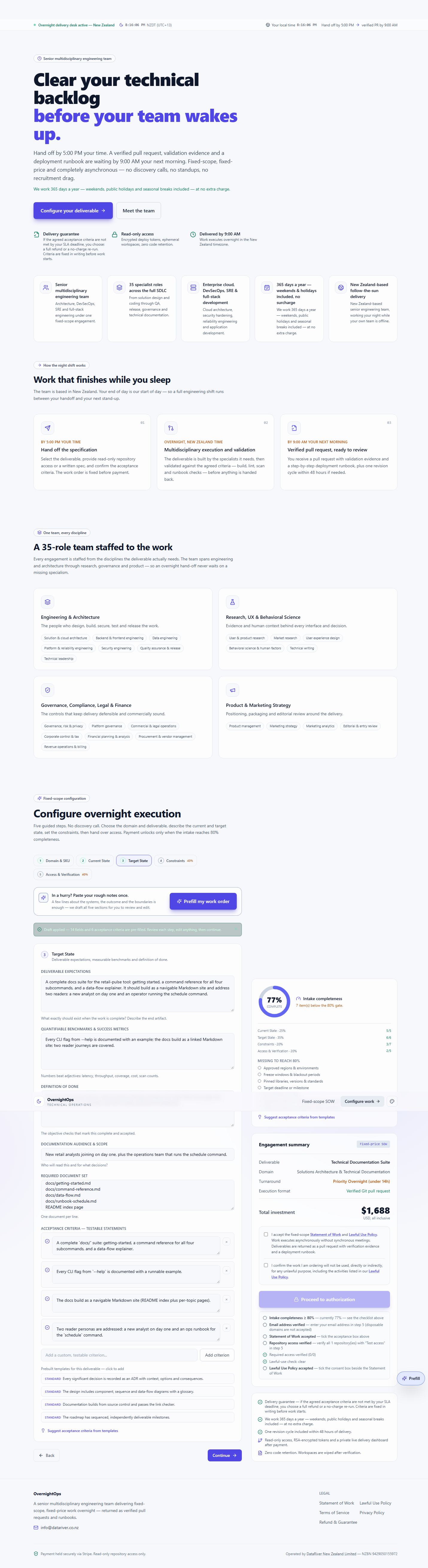
A complete docs suite for the retail-pulse tool: getting started, a command reference for all four subcommands, and a data-flow explainer. It should build as a navigable Markdown site and address two readers: a new analyst on day one and an operator running the schedule command.
Quantifiable benchmarks & success metrics
Every CLI flag from --help is documented with an example; the docs build as a linked Markdown site; two reader journeys are covered.
Definition of done
The docs suite covers all four subcommands with flag examples, the index links every page, the data-flow explainer is included, and both reader personas are addressed.
Documentation audience & scope
New retail analysts joining on day one, plus the operations team that runs the schedule command.
Required document set
- docs/getting-started.md
- docs/command-reference.md
- docs/data-flow.md
- docs/runbook-schedule.md
- README index page
04
Constraints
Forbidden changes, compliance, regions, freeze windows and deadlines.
Forbidden modifications & boundaries
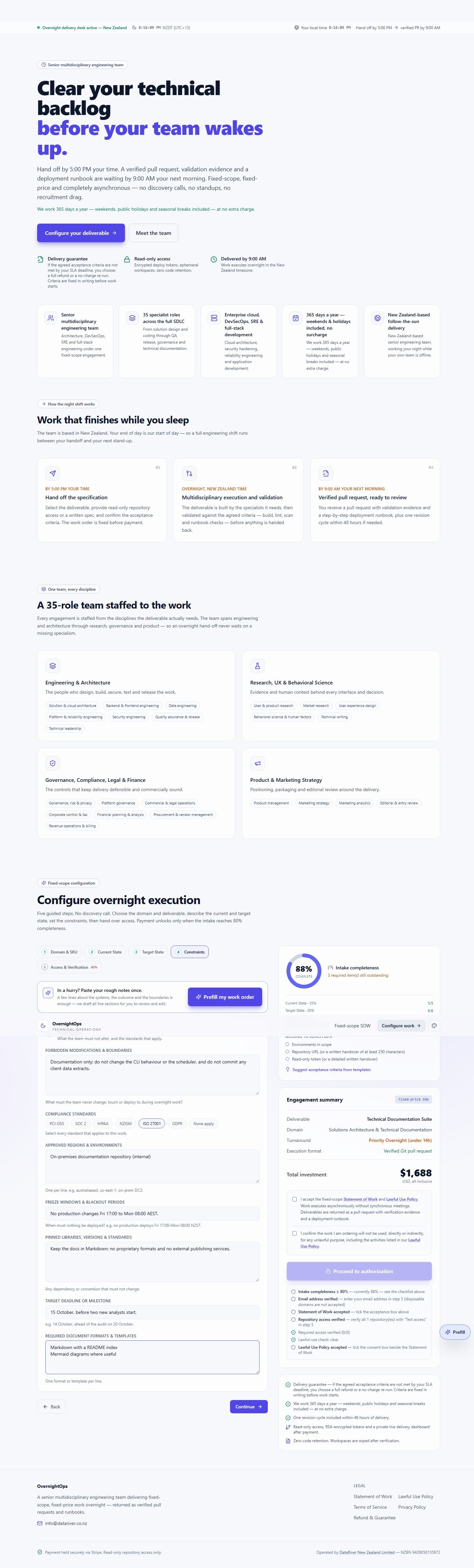
Documentation only; do not change the CLI behaviour or the scheduler, and do not commit any client data extracts.
Compliance standards
- ISO 27001
Approved regions & environments
- On-premises documentation repository (internal)
Freeze windows & blackout periods
No production changes Fri 17:00 to Mon 08:00 AEST.
Pinned libraries, versions & standards
Keep the docs in Markdown; no proprietary formats and no external publishing services.
Target deadline or milestone
15 October, before two new analysts start.
Required document formats & templates
- Markdown with a README index
- Mermaid diagrams where useful
05
Access & Verification
Repository access, read-only credentials, environments and verification.
Handover method
Repository access
Git repository URL
https://github.com/your-org/your-repoRead-only repository token
Encrypted in your browser before it leaves the device.
Environments in scope
- On-premises
Source material locations
main branch source plus the client-docs branch notes and system sketch, all in the repository.
Documentation branch
client-docs
Contact email
Acceptance criteria as captured
These are the testable statements fixed before payment. Delivery is checked against this list.
- A complete `docs/` suite: getting-started, a command reference for all four subcommands, and a data-flow explainer.
- Every CLI flag from `--help` is documented with a runnable example.
- The docs build as a navigable Markdown site (README index plus per-topic pages).
- Two reader personas are addressed: a new analyst on day one and an ops runbook for the `schedule` command.
From the live intake
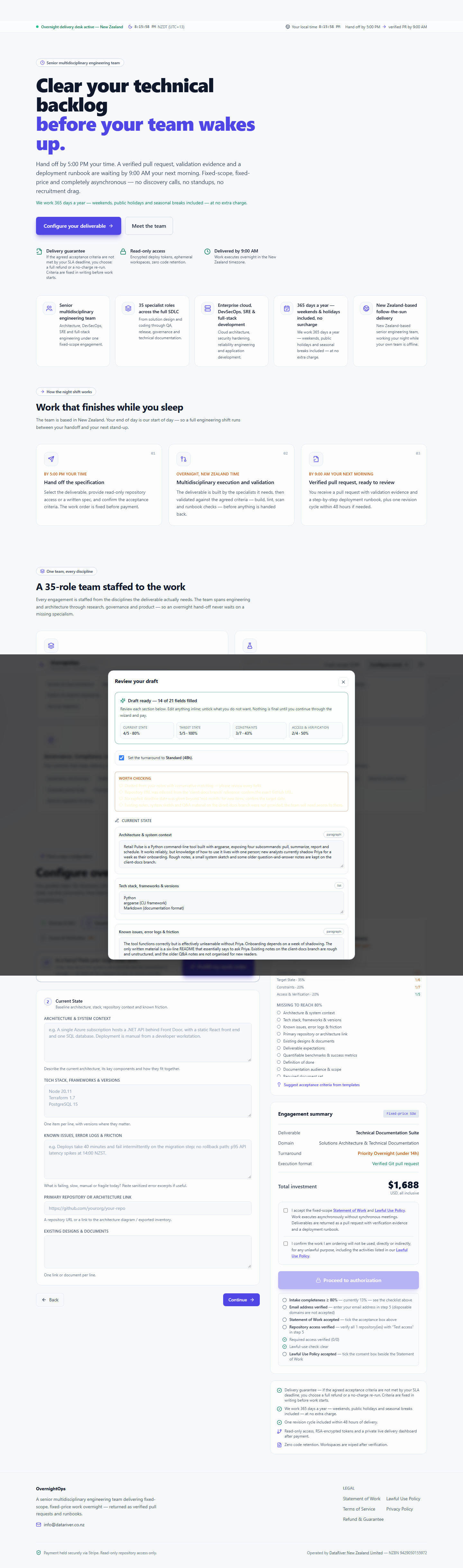
Captured screenshots of this work order being filled in. Each image is scrollable — scroll inside a frame to see the full page.
What happens after payment
Payment confirms the fixed scope. From there the work runs to the SLA you selected and every step is visible on your private dashboard.
The SLA clock starts
Your turnaround countdown begins the moment payment is confirmed — under 14 hours overnight, or 48 hours standard. Early delivery is always the goal.
A private dashboard
Your tracking link opens a private work-order dashboard showing the five delivery stages and every update as the work progresses.
Verified delivery
The deliverable is returned as a verified pull request or documented package, checked against the acceptance criteria you agreed before payment.
Your downloads
The final report, the acceptance-criteria results and every file in the delivery package are available on the dashboard until you close it.