Cloud & Infrastructure as Code
A logistics firm's shipment-tracking app, rebuilt as modular, version-controlled infrastructure code.
Fictionalised summary. Company names, the contact email and repository addresses are placeholders; no credential or token values are shown.
Domain & SKU
What this example orders, at a glance.
- Domain
- Cloud & Infrastructure as Code
- Deliverable
- Infrastructure as Code Codification
- Turnaround
- Priority Overnight (under 14 hours)
- Environments in scope
- Kubernetes
- Compliance
- None apply
02
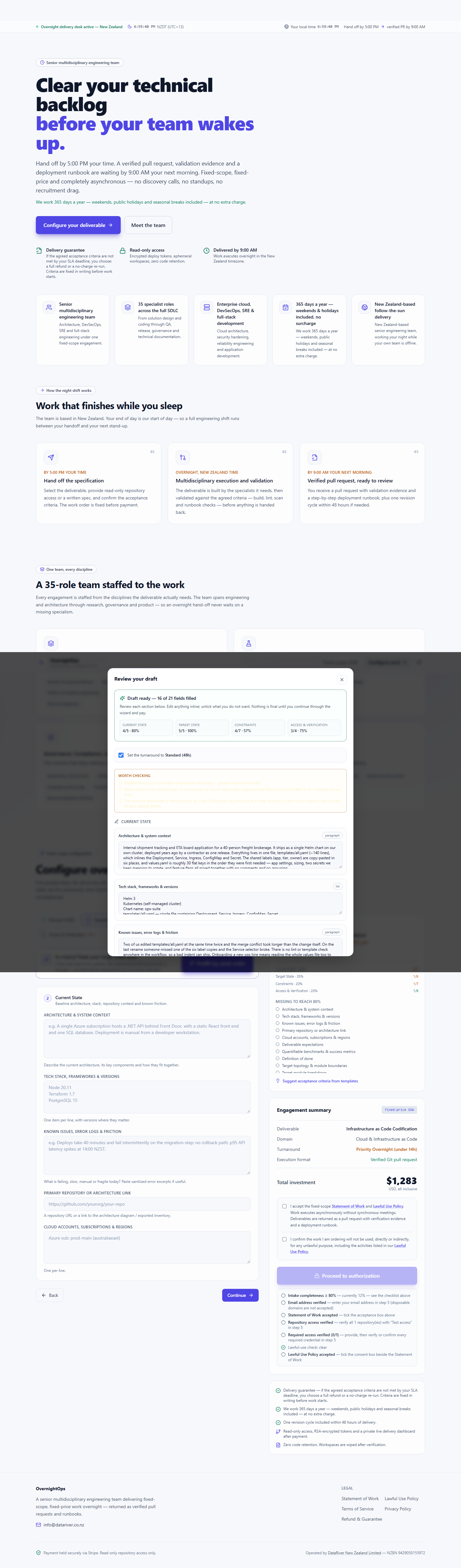
Current State
Baseline architecture, stack, repository context and known friction.
Architecture & system context
Our internal tracking app (shipment status + ETA board) ships as one Helm chart deployed to our own cluster. The chart is a single release: every object lives in templates/all.yaml and every knob lives in values.yaml in the order things were needed, not in any sensible order. The repository holds the chart as the contractor left it.
Tech stack, frameworks & versions
- Helm 3
- Kubernetes 1.29 (self-managed)
- One chart: ops-suite
- No CI, no lint
Known issues, error logs & friction
Two of us edited templates/all.yaml at the same time twice and the merge conflicts took longer than the changes. The {app, tier, owner} labels are copy-pasted in six places; someone missed one during a rename and the service selector broke. values.yaml mixes app settings, sizing, two rotate-me secrets and feature flags with no grouping or comments.
Primary repository or architecture link
https://github.com/your-org/your-repo03
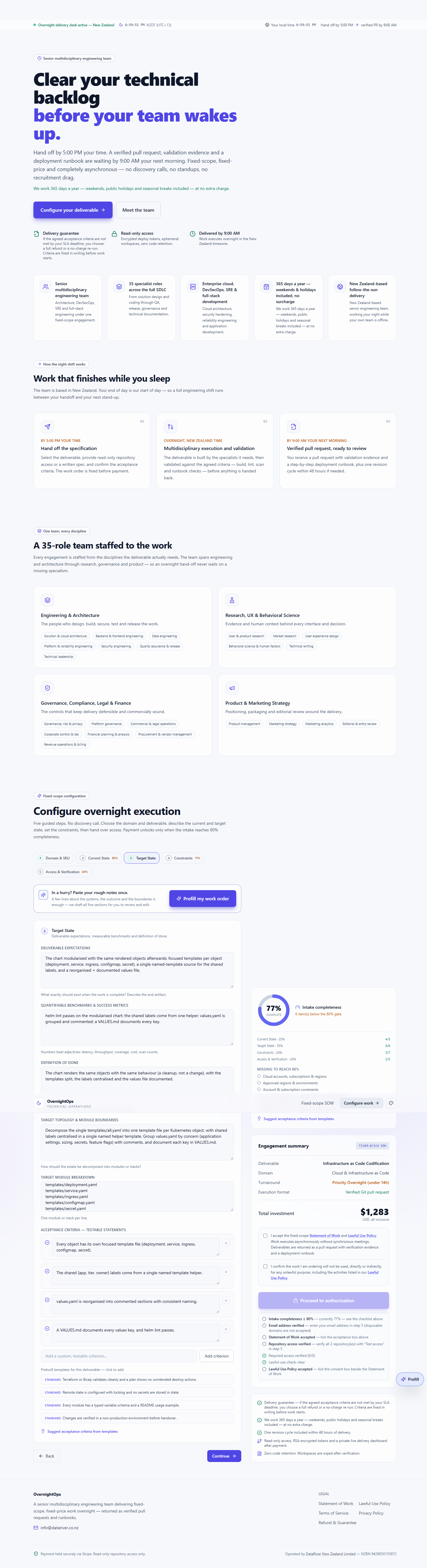
Target State
Deliverable expectations, measurable benchmarks and definition of done.
Deliverable expectations
The chart modularised with the same rendered objects afterwards: focused templates per object (deployment, service, ingress, configmap, secret), a single named-template source for the shared labels, and a reorganised + documented values file.
Quantifiable benchmarks & success metrics
helm lint passes on the modularised chart; the shared labels come from one helper; values.yaml is grouped and commented; a VALUES.md documents every key.
Definition of done
The chart renders the same objects with the same behaviour (a cleanup, not a change), with the templates split, the labels centralised and the values file documented.
Target topology & module boundaries
Decompose the single templates/all.yaml into one template file per Kubernetes object, with shared labels centralised in a single named helper template. Group values.yaml by concern (application settings, sizing, secrets, feature flags) with comments, and document each key in VALUES.md.
Target module breakdown
- templates/_helpers.tpl (labels + naming)
- templates/deployment.yaml
- templates/service.yaml
- templates/ingress.yaml
- templates/configmap.yaml
- templates/secret.yaml
04
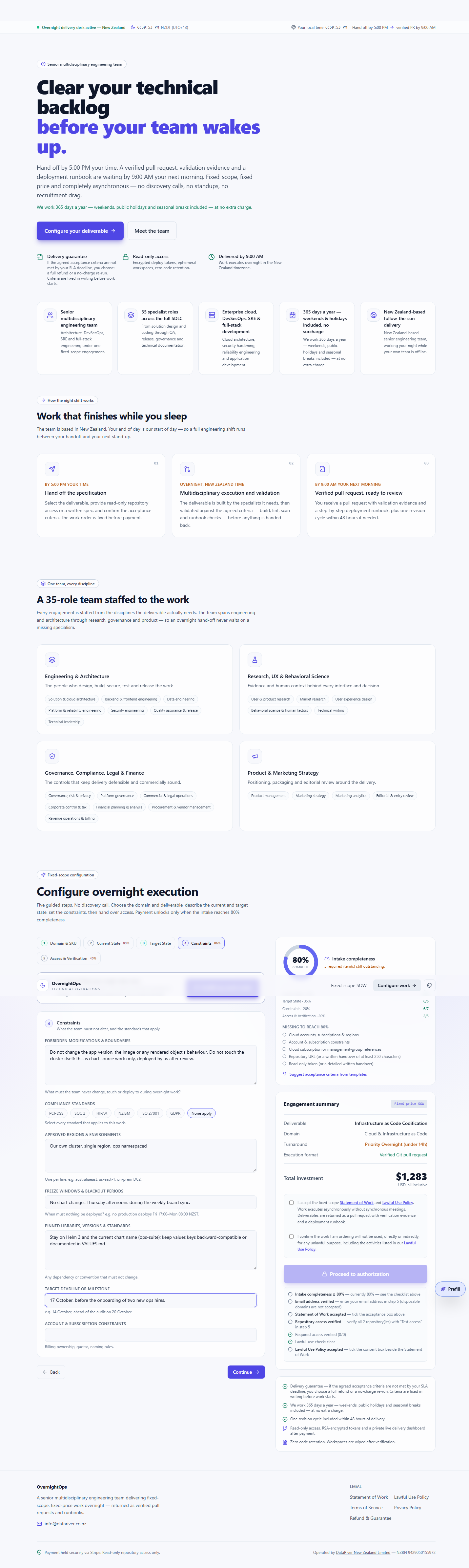
Constraints
Forbidden changes, compliance, regions, freeze windows and deadlines.
Forbidden modifications & boundaries
Do not change the app version, the image or any rendered object's behaviour. Do not touch the cluster itself: this is chart source work only, deployed by us after review.
Compliance standards
- None apply
Approved regions & environments
- Our own cluster, single region, ops namespaced
Freeze windows & blackout periods
No chart changes Thursday afternoons during the weekly board sync.
Pinned libraries, versions & standards
Stay on Helm 3 and the current chart name (ops-suite); keep values keys backward-compatible or documented in VALUES.md.
Target deadline or milestone
17 October, before the onboarding of two new ops hires.
05
Access & Verification
Repository access, read-only credentials, environments and verification.
Handover method
Repository access
Git repository URL
https://github.com/your-org/your-repoRead-only repository token
Encrypted in your browser before it leaves the device.
Environments in scope
- Kubernetes
Contact email
Acceptance criteria as captured
These are the testable statements fixed before payment. Delivery is checked against this list.
- Every object has its own focused template file (deployment, service, ingress, configmap, secret).
- The shared {app, tier, owner} labels come from a single named template helper.
- values.yaml is reorganised into commented sections with consistent naming.
- A VALUES.md documents every values key, and helm lint passes.
From the live intake
Captured screenshots of this work order being filled in. Each image is scrollable — scroll inside a frame to see the full page.
What happens after payment
Payment confirms the fixed scope. From there the work runs to the SLA you selected and every step is visible on your private dashboard.
The SLA clock starts
Your turnaround countdown begins the moment payment is confirmed — under 14 hours overnight, or 48 hours standard. Early delivery is always the goal.
A private dashboard
Your tracking link opens a private work-order dashboard showing the five delivery stages and every update as the work progresses.
Verified delivery
The deliverable is returned as a verified pull request or documented package, checked against the acceptance criteria you agreed before payment.
Your downloads
The final report, the acceptance-criteria results and every file in the delivery package are available on the dashboard until you close it.